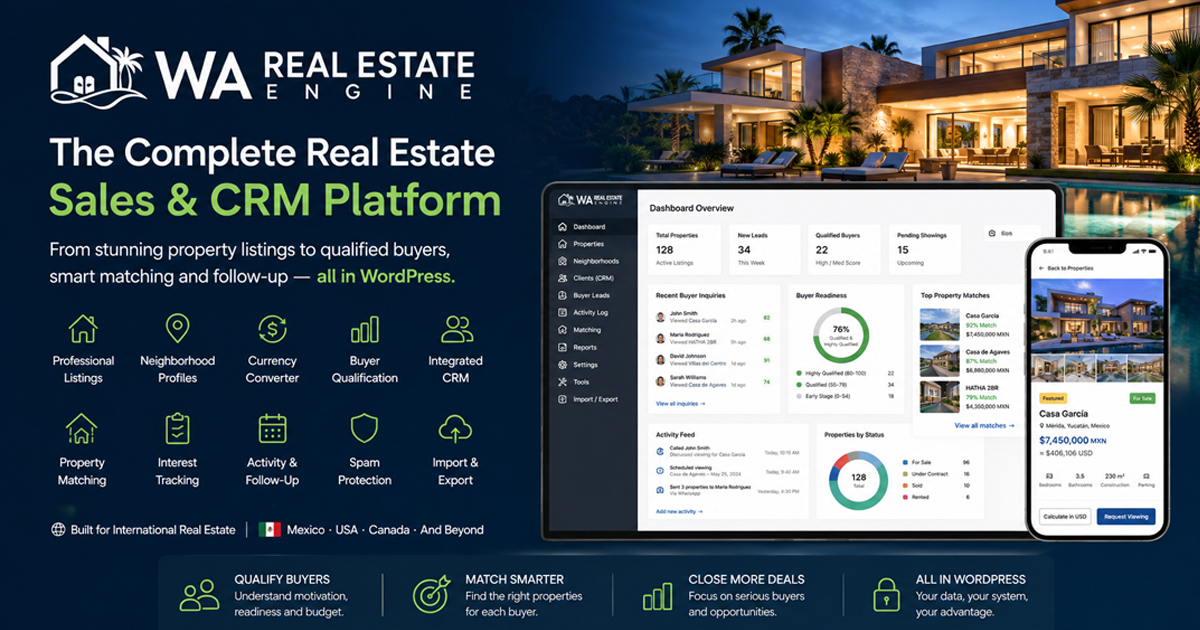



WA Real Estate Engine International
Your Complete Real Estate Operating Platform—Inside WordPress
Manage properties, qualify buyers, match clients, automate follow-up and market listings from one connected international system.
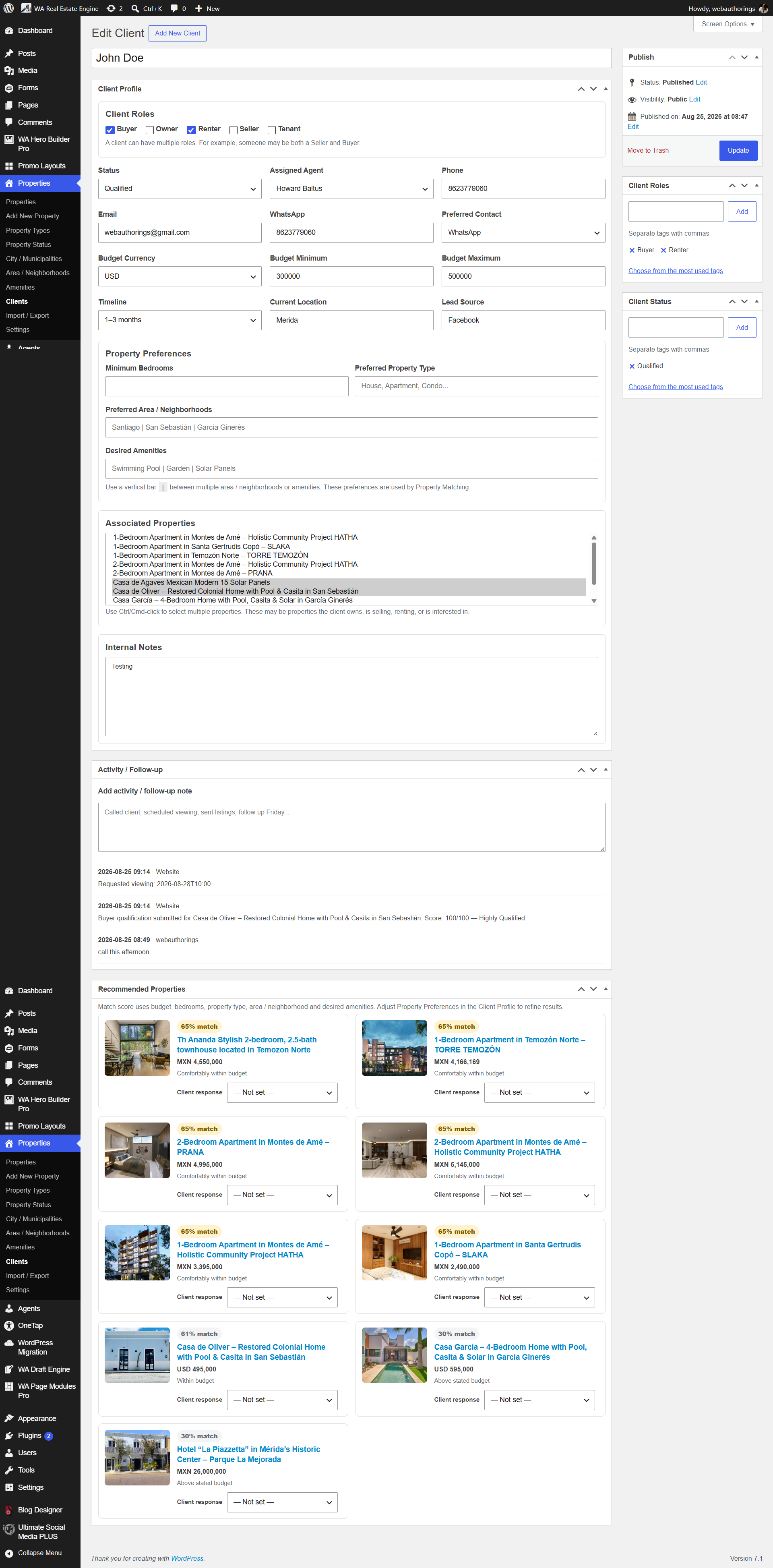
One connected platform
More Than a Property-Listing Plugin
WAREE connects the major parts of the property sales process instead of forcing your brokerage to assemble and maintain numerous unrelated plugins.
Property Management
Manage listings, galleries, video, agents, amenities, property types, statuses and market-specific custom fields.
Buyer Qualification & CRM
Capture prospects, evaluate buyer readiness, match clients with inventory and maintain a complete follow-up timeline.
Location Intelligence
Help buyers understand nearby amenities, destinations, drive times, neighborhood information and price perspective.
Complete inventory control
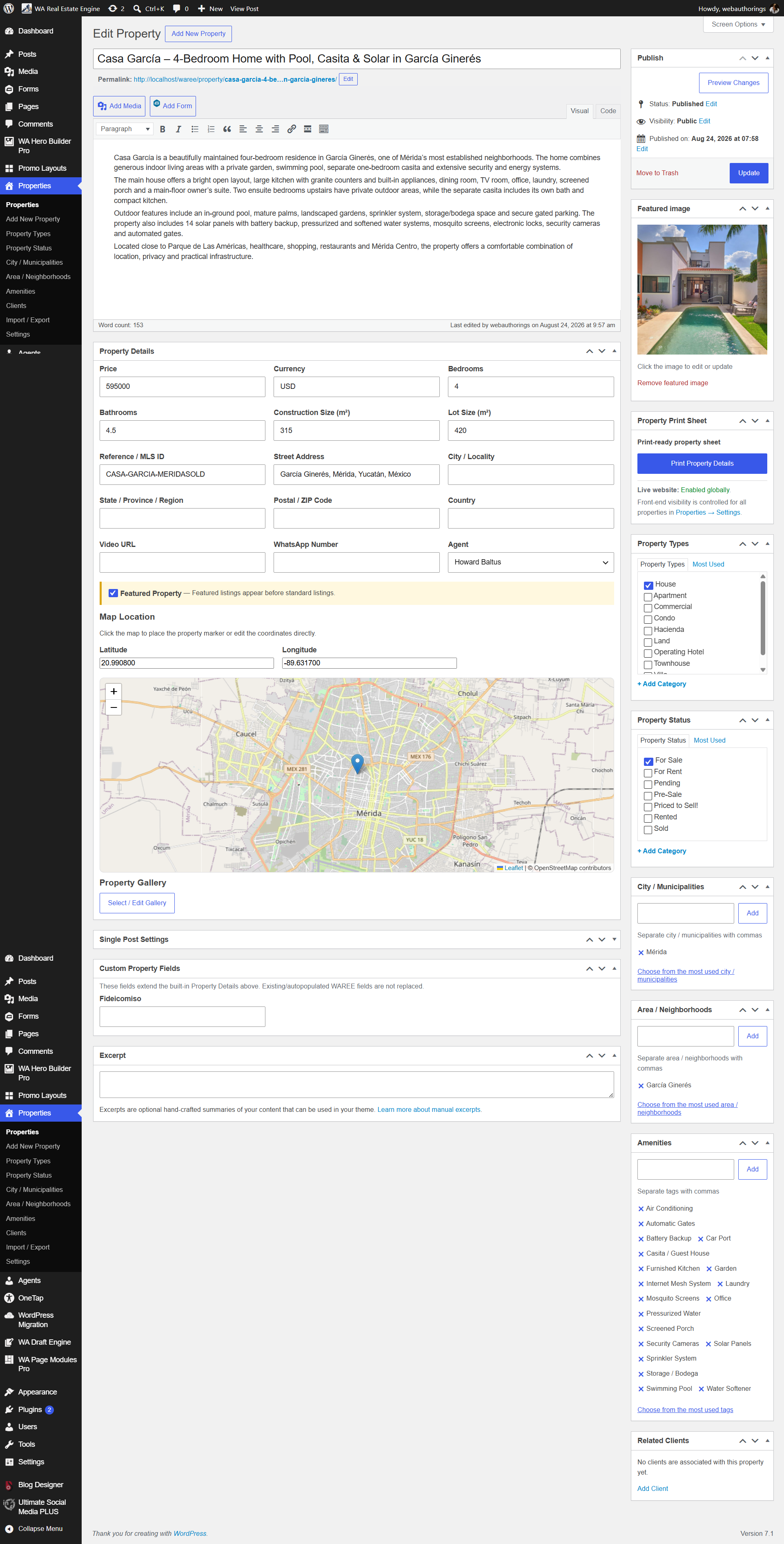
Manage Every Property from WordPress
Control essential listing details, international addresses, pricing, measurements, media, assigned agents and buyer-facing information from one familiar administration area.
- Featured images, galleries and property video
- Property types, statuses and amenities
- International currencies and measurements
- Market-specific custom property fields
- Featured-property placement
A better buyer experience
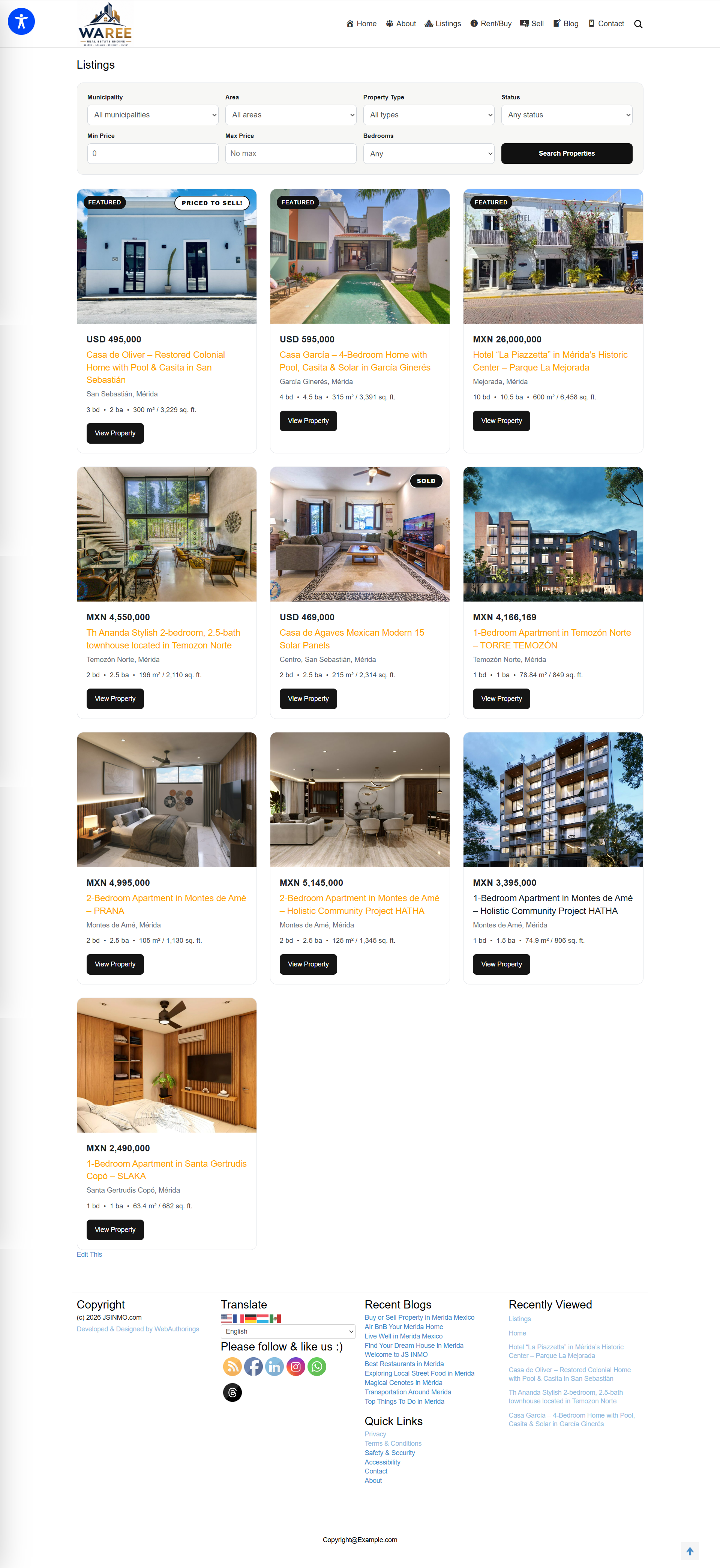
Searchable Listings with Real Market Context
Give buyers more than photographs and an asking price. WAREE combines property search with maps, local information and international terminology appropriate to your market.
- Property and location filtering
- Interactive maps and geolocation
- Nearby services and important destinations
- Neighborhood profiles and exploration
- Price Perspective for international buyers
From inquiry to closing
A Real Estate CRM Built into the Website
Keep buyer, seller, renter, owner and tenant information connected to actual property activity. Qualification and matching tools help agents prioritize serious prospects.
- Buyer qualification and scoring
- Property matching based on client preferences
- Client property-interest tracking
- Viewing requests connected to CRM records
- Chronological activity and follow-up timeline
Design flexibility
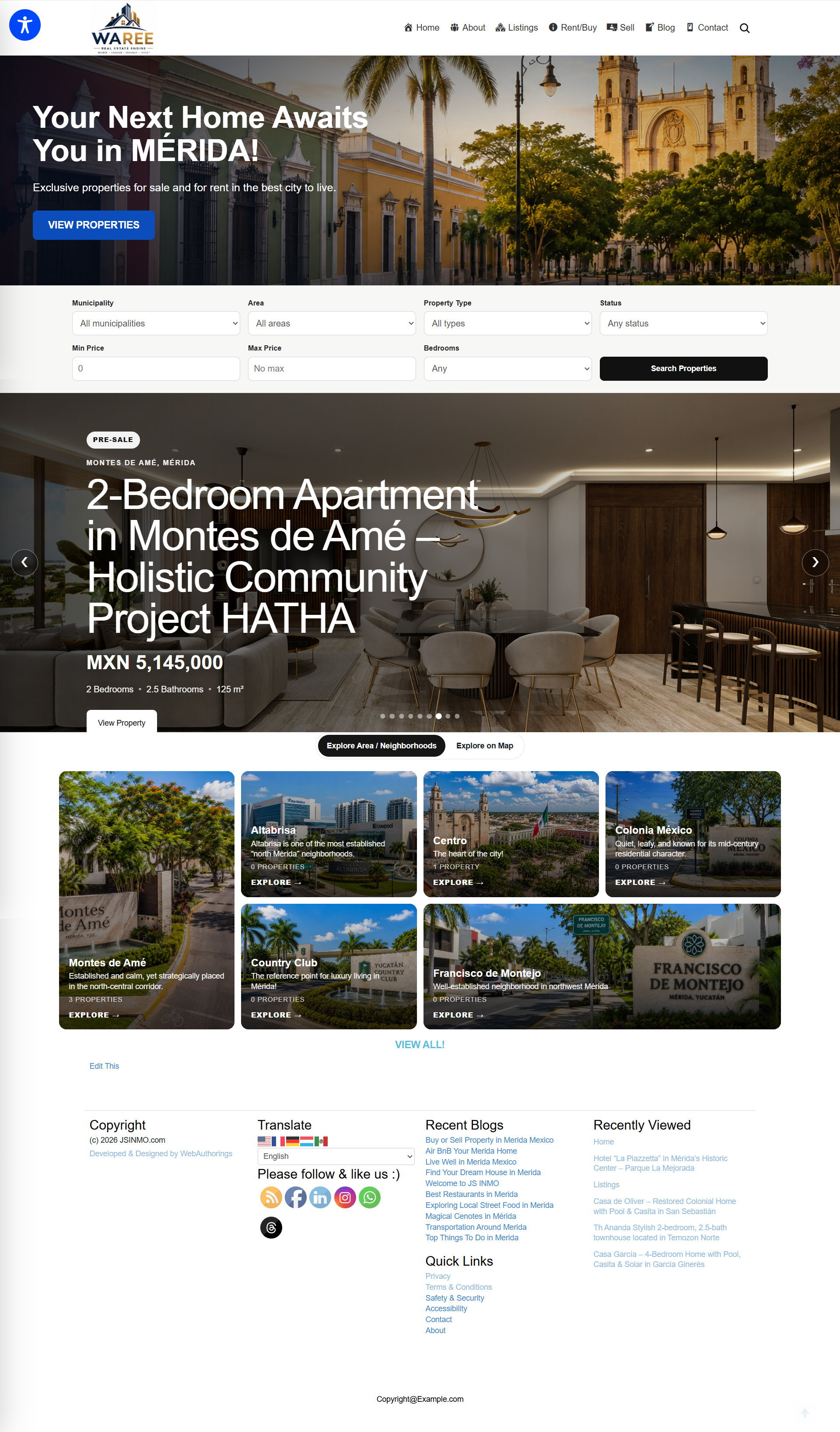
Build the Property Page Your Market Needs
Enable, disable and reorder major property modules using a draggable interface—without modifying PHP templates or requiring a proprietary page builder.
- Protected core listing information
- Reorder descriptions, video and amenities
- Position maps and Location Intelligence
- Control qualification and custom-field modules
- No Elementor requirement
Professional presentation
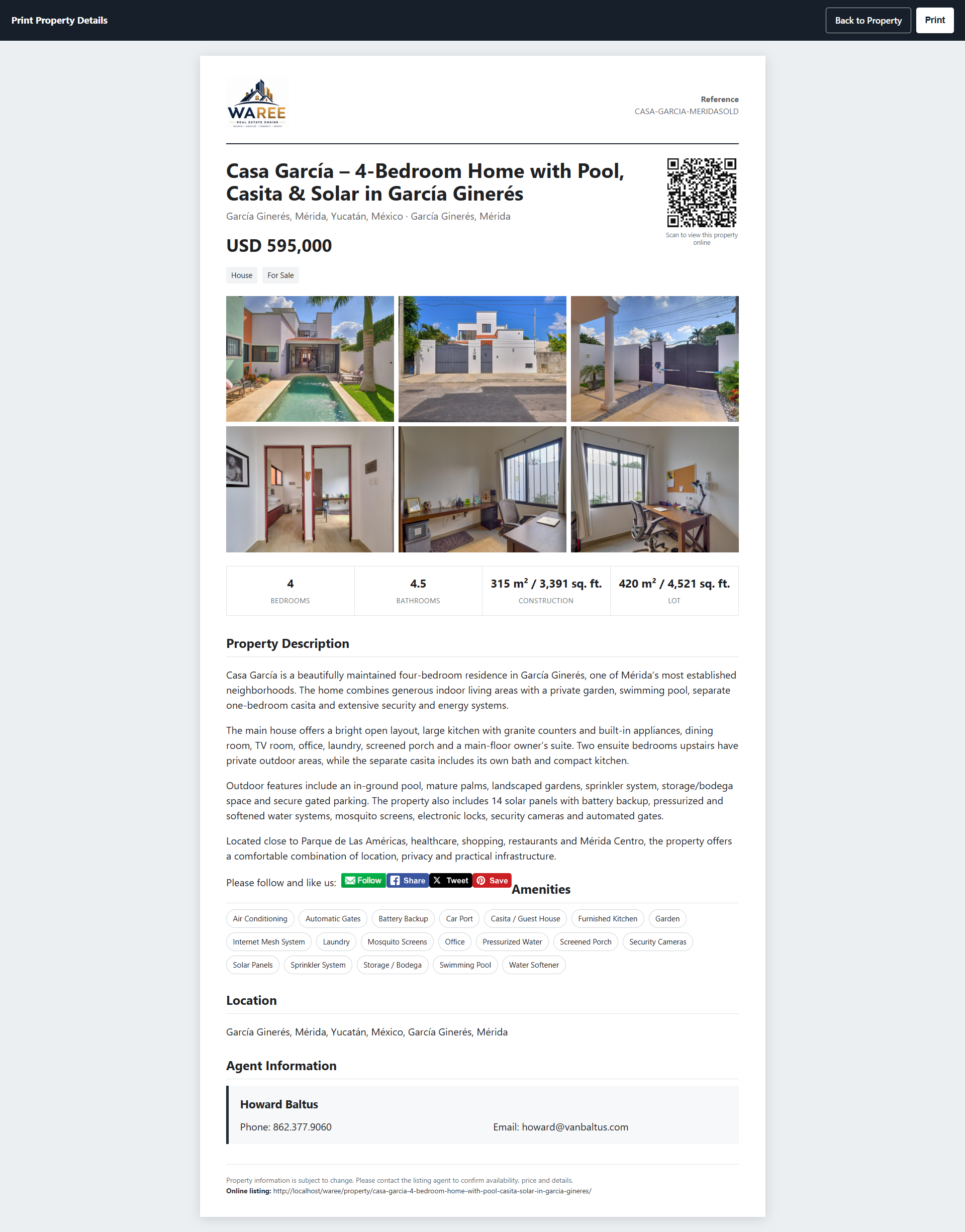
Turn Every Listing into a Branded Print Sheet
Create polished property presentations with brokerage branding, essential listing information, up to six photographs and a QR code that takes prospects directly to the live property page.
- Brokerage logo and agent contact details
- Price, property facts and description
- Amenities and custom property fields
- QR code linked to the current online listing
- Public or administrator-only printing
Move inventory efficiently
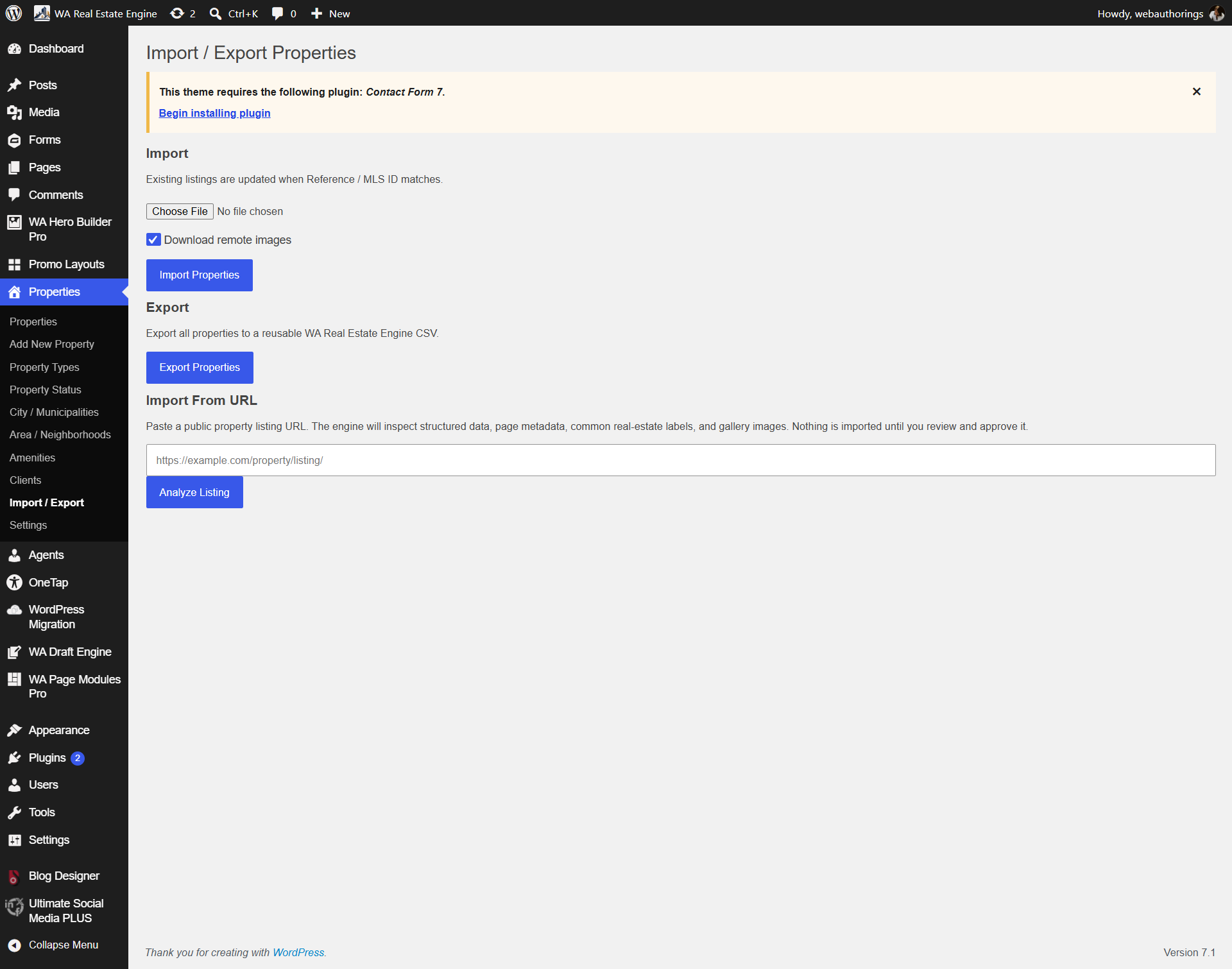
Import, Export and Update Property Data
Reduce repetitive data entry with CSV workflows and external listing-import tools. Imported information can be reviewed before it becomes part of the live WAREE inventory.
- CSV import and export
- Bulk property-data workflows
- Support for custom property fields
- External listing URL import assistance
- Review before publishing
See the platform
Watch WAREE in Action
See how property management, international configuration, CRM and buyer-facing features work together inside WordPress.
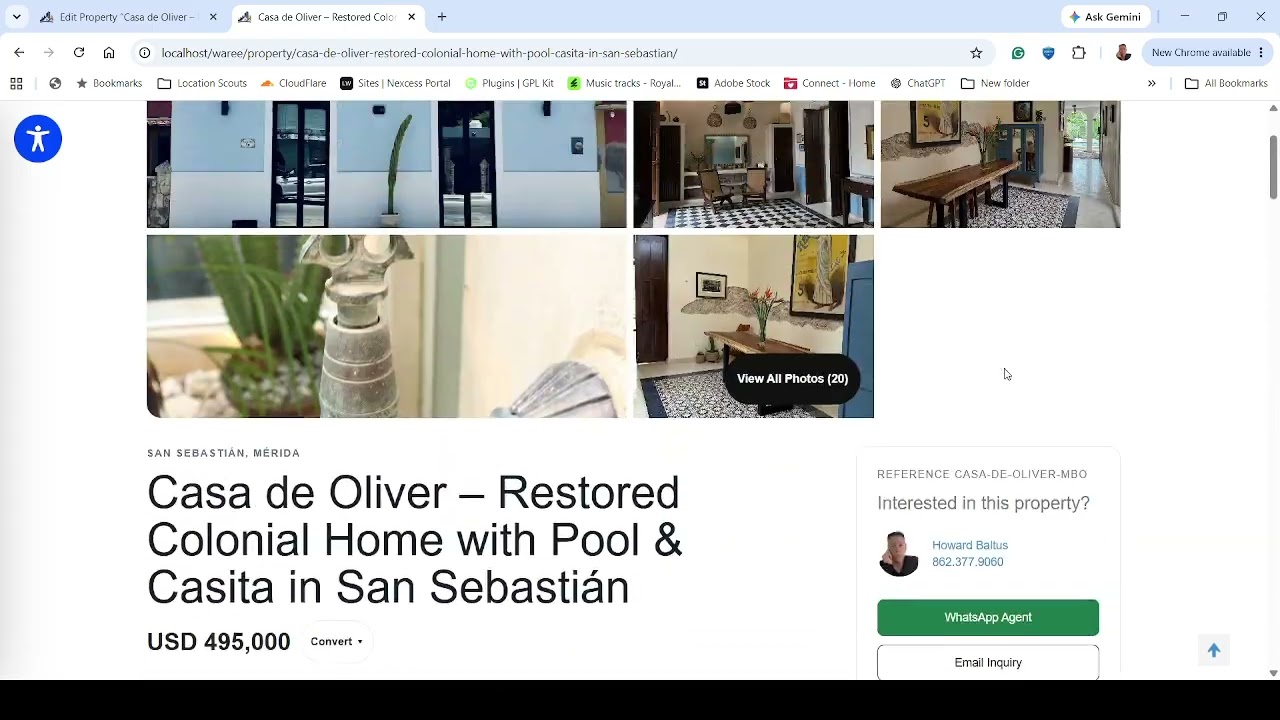 Watch the WAREE Demonstration
Simple subscription
Operate Your Real Estate Website for $79 per Month
Start with a free trial, install WAREE and evaluate the platform on your own WordPress website.
$79 / month
- Property-management platform
- Integrated CRM
- Buyer qualification
- Property matching
- International configuration
- Location Intelligence
- Import and export tools
- Professional print sheets
Complete the secure $0 trial checkout, approve the future PayPal subscription and download WAREE immediately. The first $79 payment is collected automatically when the configured trial ends unless the subscription is canceled beforehand.
Frequently Asked Questions
Is WAREE only for the United States?
No. WAREE supports configurable terminology, currencies, international address structures, metric and imperial measurements and market-specific custom fields.
Do I need Elementor?
No. WAREE uses shortcode-driven WordPress components and does not require Elementor or another proprietary page builder.
When can I download the plugin?
The download becomes available after completing the free-trial checkout and approving the PayPal subscription. The initial checkout total is $0.
When does the free trial begin?
The trial begins when checkout is completed—not when the plugin is downloaded or installed.
Can I cancel before being charged?
Yes. Cancel before the configured trial period ends to prevent the first $79 subscription payment.
Is marketing automation included?
WAREE includes publishing automation designed to help distribute newly published properties and website content through connected marketing channels.
Can I import existing properties?
Yes. WAREE supports CSV property workflows and includes tools that assist with importing property information from external listing URLs.
Does WAREE require expensive map APIs?
WAREE was designed to minimize mandatory paid API dependencies by using cached routing results and distance-based fallback methods where appropriate.
Make Your Website Part of the Sales Process
Connect property inventory, buyer inquiries, qualification, matching, showings and follow-up inside one WordPress platform.